



Event Check-In Technology: QR Codes, Badges, and Reducing Lines
The first impression of any fundraising event happens at the door. A guest who waits twenty minutes in a slow line arrives tired and irritated, and that mood follows them into the ballroom.
Check-in is also the one moment every single guest passes through, which makes it one of the easiest places to improve the whole event. The right technology, set up the right way, turns a bottleneck into a smooth welcome.
Why Check-In Lines Form
Lines rarely come from a single slow step. According to Fielddrive, they usually build from a mix of causes:
- Slow guest lookup when names are misspelled or registrations are messy
- Badge printing delays and printer problems
- Walk-up guests who weren’t on the list
- Corrections to names, tickets, or details at the desk
- Weak Wi-Fi or cellular connectivity
- A poorly designed queue with no clear signage
Fixing only one of these rarely solves the problem. The goal is to remove delay at every step between arrival and badge in hand.
How QR Code Check-In Works
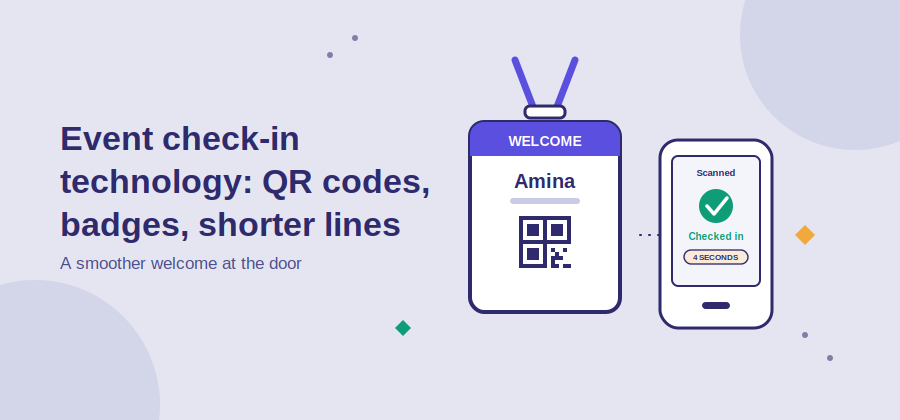
QR check-in replaces name lookup with a quick scan. Following the process described by Cvent, it works in a few steps:
- Each guest receives a unique QR code at registration, tied to their own record
- The code is sent in a confirmation email or reminder, or appears on a printed ticket
- At the door, staff scan it with a phone or tablet
- The system confirms the guest, marks them as arrived, and can trigger a badge print
- Duplicate or invalid codes are flagged so the same ticket can’t be used twice
Standard smartphones and tablets are enough for scanning, so most events don’t need special hardware. The benefit is speed and accuracy: scans take seconds, and each one ties directly to existing registration data.
Do the Math Before the Night
One of the most useful habits in event planning is estimating how many check-in stations you actually need. The formula is simple: divide 60 by the time each check-in takes to find how many guests one station handles per minute.
- At 10 seconds per guest, one station checks in 6 people a minute
- At 15 seconds, it checks in 4 a minute
- At 30 seconds, it checks in 2 a minute
Then divide the number of guests you expect to arrive in your busiest few minutes by that capacity. If 40 guests arrive each minute at the peak and each takes 15 seconds, you’d need at least 10 stations. Peak arrival, not total attendance, is what determines the line. Plan for the busiest 15 to 30 minutes, usually just before the program starts.
Badges and Name Tags
Badges are useful for networking events, galas with seating, and anywhere volunteers and staff need to be recognizable. They’re also a common source of delay if handled carelessly.
- Pre-print badges for guests who confirmed in advance and set them out alphabetically, so check-in becomes a pick-up
- Print on demand only where you need it, such as for walk-ups, and test the printer with your final badge design
- Keep badge designs simple, with a large first name that can be read from a distance
- Have a clear reprint process for misspelled names, and a backup supply of blank badges
For smaller fundraising dinners, a simple printed seating card or ticket may be all you need. Not every event needs a badge system, but every event needs a plan for how guests find their place.
Common Pitfalls to Plan For
Most check-in problems are predictable. A short list of backups prevents nearly all of them:
- Test every scanning device at the actual venue, since signal strength can be very different from the office
- Check which functions work offline, as scanning may continue while printing or payments need a connection
- Remind guests to have their code ready, for example by sending it again the day before and again the morning of the event
- Set a separate lane for walk-ups, payments, and corrections so they don’t block everyone else
- Prepare a manual guest list as a fallback for dead phones or lost emails
- Brief every volunteer on their exact role before doors open
A fifteen-minute walkthrough with your check-in team, using real test tickets, often finds the problems that would otherwise surface in front of a full line.
Use the Welcome Moment for Fundraising Too
A fundraising event isn’t only a registration problem. The check-in area is also the first place to remind guests how they can give.
A simple sign beside the check-in desk with a “Scan to give tonight” QR code lets guests make a gift while they wait, and gives your team something useful to point to when the line moves slowly. It costs almost nothing and puts the donation page in every guest’s hand from the moment they arrive.
How Ideali Supports Giving at Your Event
Every campaign in Ideali comes with an automatically generated QR code, so your check-in signs, table cards, and printed programs can send guests straight to a donation page with one scan. Our guide to QR codes at fundraising events walks through sizing, placement, and testing.
For guests who prefer not to scan, Tap to Pay lets a volunteer accept a contactless gift on a compatible phone, with no extra hardware, on iPhone or Android.
After the event, Customized Emails help you thank every guest quickly, and Donor Reports show what the evening raised.
Sign up for Ideali for free to start planning your next event.
Final Thoughts
Good check-in is mostly invisible. Guests walk in, feel welcomed, and never think about how it worked.
With unique QR codes, a realistic staffing estimate, a tested backup plan, and a clear way to give from the first minute, the door becomes the best part of your event instead of the worst.

